Dashboard and charts
Wallets, useful actions and activity from real records.
Step by step
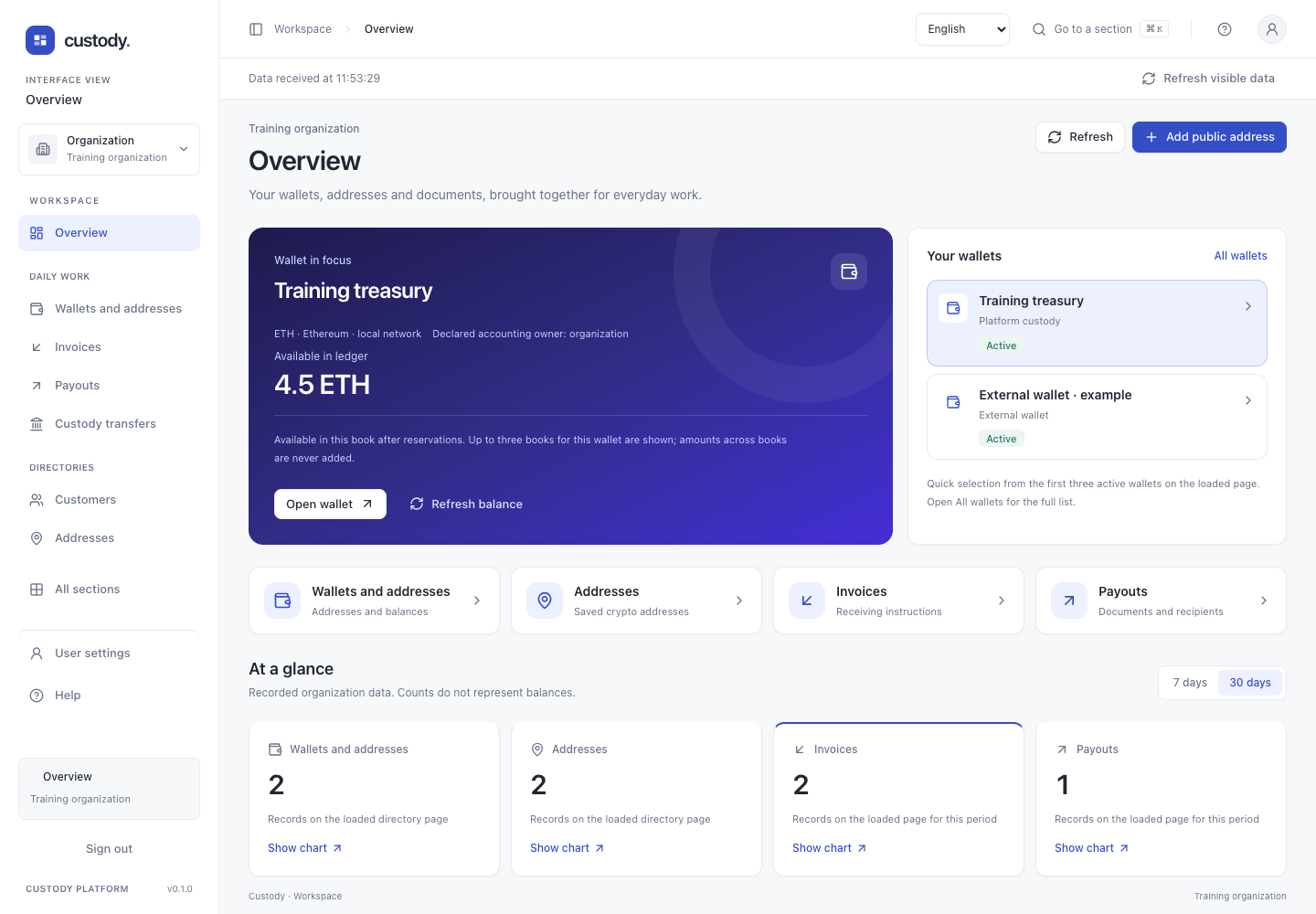
- Overview starts with shortcuts for your chosen work view. Select a card to open wallets, addresses, documents or accounting. The Add public address action appears only when your account can create addresses.
- In the overview, treasury and operations views, Wallet in focus offers up to three active wallets from the loaded page. Select a wallet and use Open wallet. Where permitted, it displays exact available balances separately for up to three custody books found on one 50-book page. It never combines wallets, owners or assets. Use Update balance to repeat these stored balance reads; external wallets do not show an invented platform balance.
- At a glance shows counts from one loaded page per section, up to 100 records. Invoice, payout, external-transfer and audit requests use the selected 7- or 30-day UTC period. Directory counts include all dates on their loaded page.
- Use Show activity for or Show chart to choose a data source. The line chart counts records created on each UTC day; the second chart groups those same records by their recorded state, network, book asset or actor type. These are record counts, not money balances or price charts.
- A More pages are available note means the charts cover only the first page. Open list to browse further pages. Latest on this page shows up to six newest loaded records, not necessarily the latest records across the organization.
- Focus a chart point with Tab, then use Left/Right arrows or Home/End to read its day and count, or expand Show chart data as a table. Refresh repeats read requests; it does not run a chain check or send a transaction. A failed request displays an error rather than an empty chart.
Interface