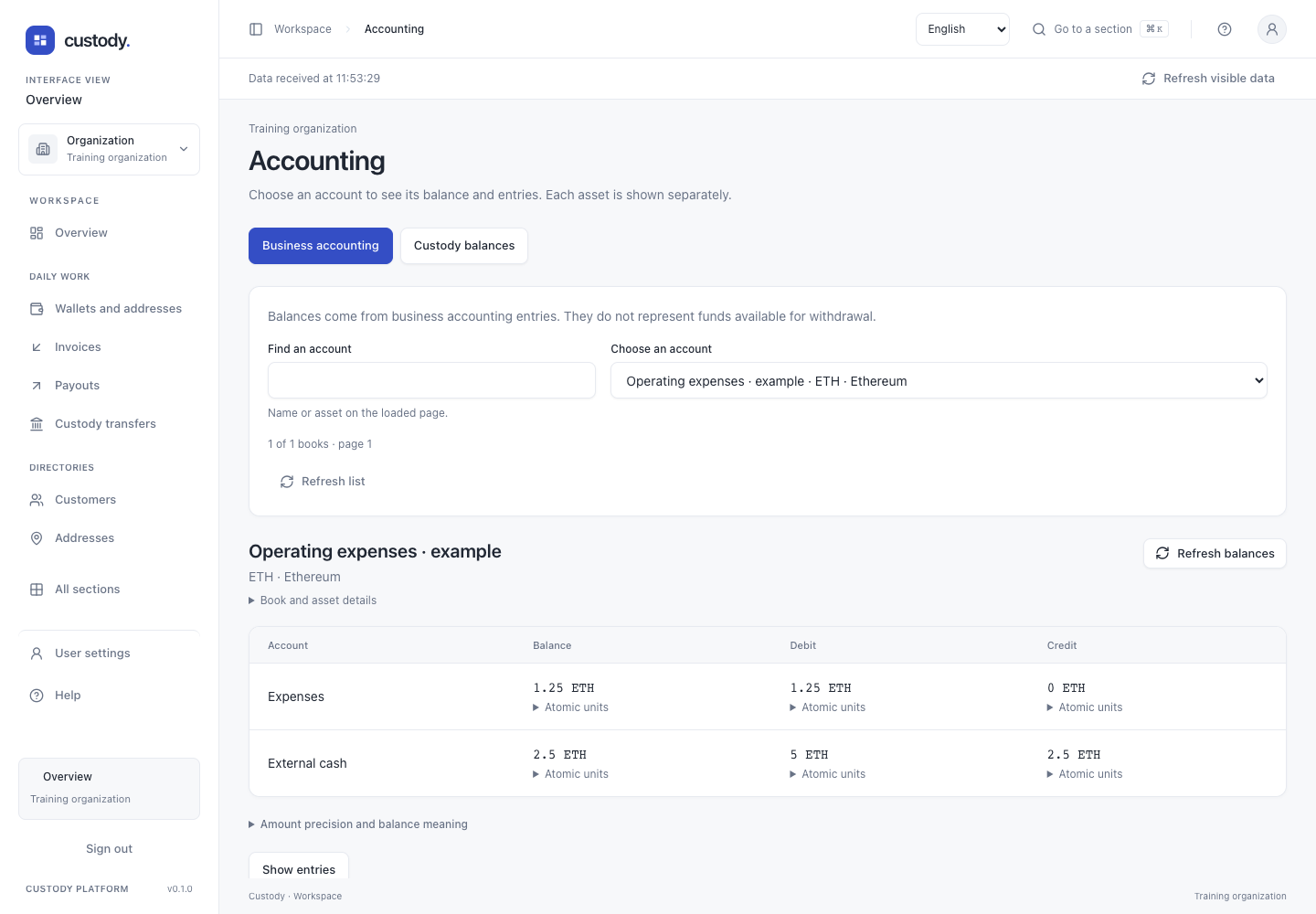
Accounting
Read accounting books, exact balances and immutable journal entries.
Step by step
- Open Accounting and choose an available book type: business accounting or custody balances. The first book on the loaded page opens automatically.
- Use Find an account to search the loaded page by name or asset, then select the account you need. The page count is not an organization-wide total. Clear search and previous/next account pages keep the scope visible.
- Check the account name, asset and custody owner. Book and asset details contains the exact book and asset IDs. Refresh balances reloads this book; Refresh list reloads only the account list.
- Read business debit, credit and balance columns separately. Custody available funds already exclude reservations. A negative available balance stays visible as an accounting deficit; no amount is rounded or combined across assets.
- Use Atomic units to inspect exact whole amounts. Show entries loads the selected book’s immutable journals. Expand Entry identifiers for the journal ID and any original entry corrected by a reversal.
- When Outgoing statement is available, inspect principal, actual fee, settlement revision and compensation direction. Its CSV button downloads only the displayed page with the same book and cursor; it is not a frozen whole-account report.
- Long tables and journal lists scroll within their own area. Failed reads offer Retry loading. Accounting actions opens the operation section only with relevant permissions and is omitted in member preview.
Interface